Job management
Run the whole day
from one card.
The quote becomes the job. The crew gets a push. The bills land where they belong. And profit is on the card before you’ve left the driveway.
Unlimited users included. Founding price — locked in for as long as you stay. New-signup pricing rises in 2027.
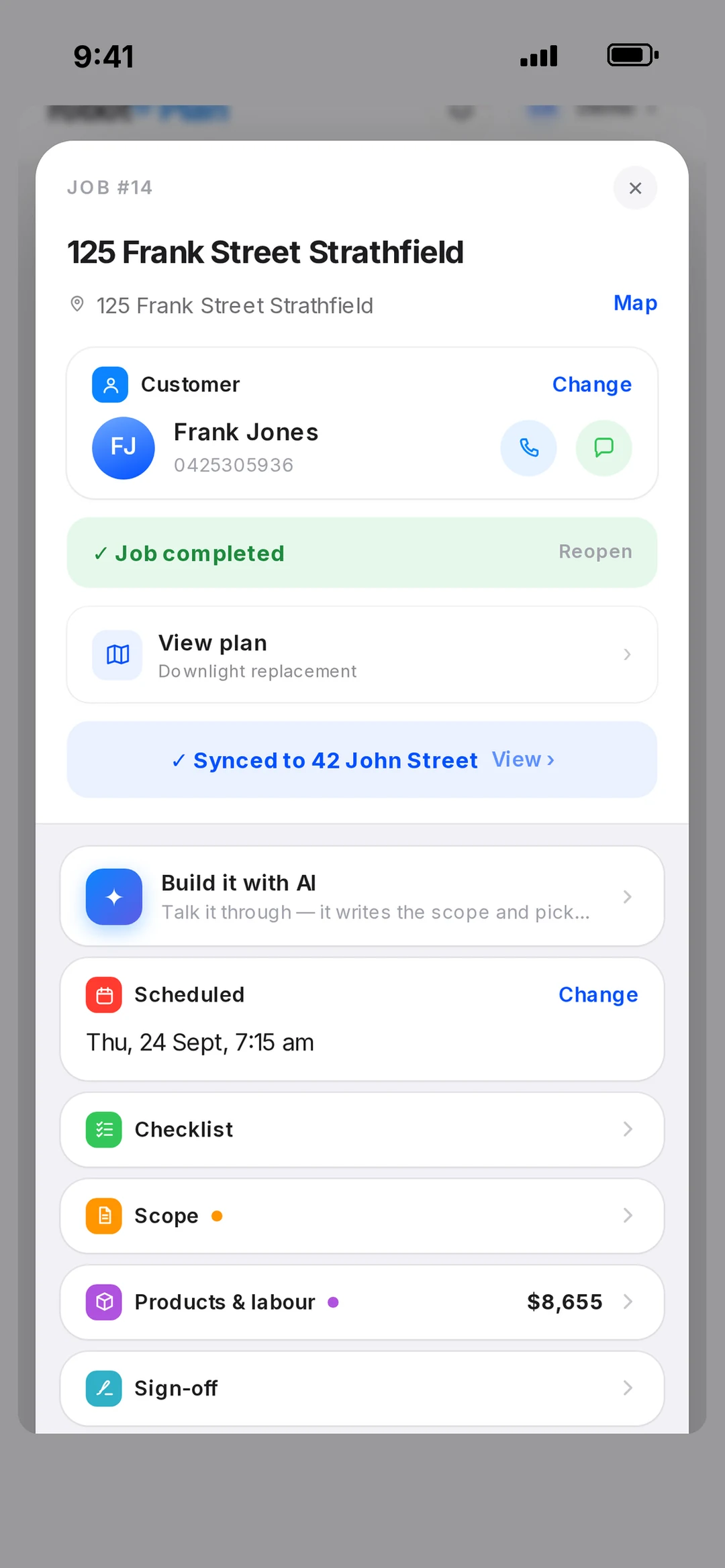
One card per job
The yes becomes the job. Nothing to re-type.
An accepted quote turns into a job on its own — customer, scope, price, all carried across. The job card holds the schedule, the crew, multi-day sessions, clock on and off, photos and video, the checklist, notes and billing.
Finish the job and robot asks: More work? Completed? Invoice now? Each is a tap. The follow-up never lives in your head again.
Crew and calendar
Everyone knows where to be. Nobody rings you.
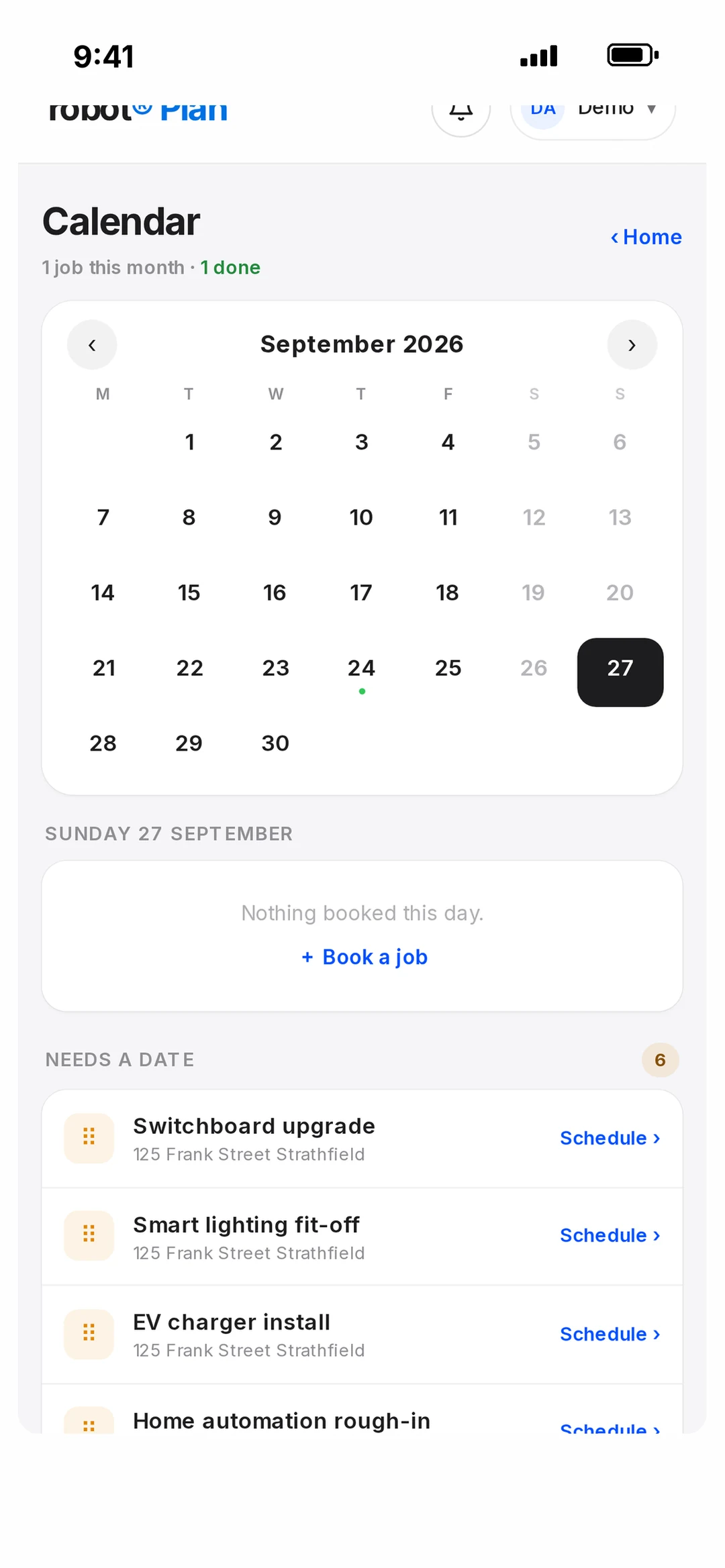
Drag a job onto a day, pick the crew, done. They get a push the second it’s booked or moved. The calendar shows every tech, every job, every day — with a per-person timeline so you can see who’s got room.
Roles that match a real business: owner, admin, project manager (sees no prices), employee (sees only their own jobs). Opt-in team map for the days you need to know who’s closest.
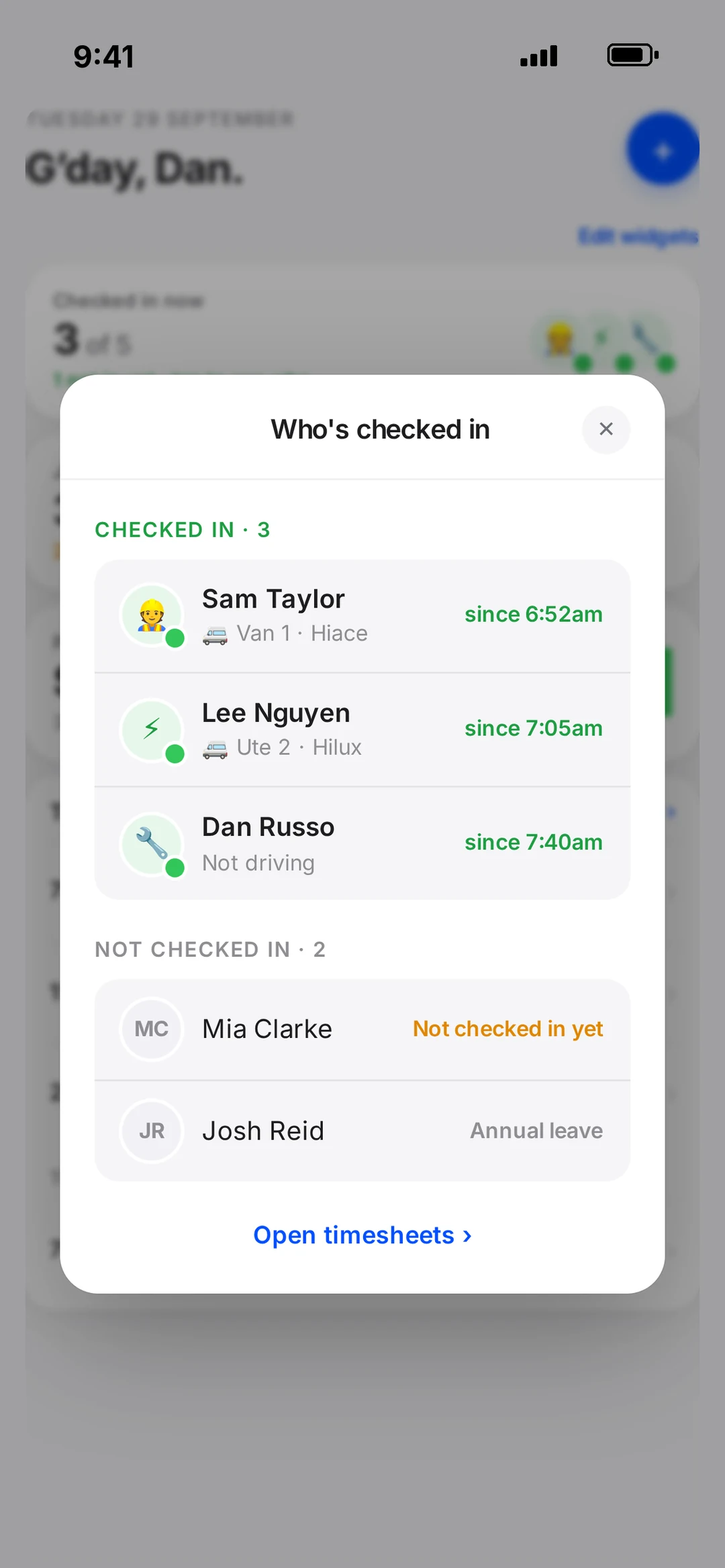
Start Day
Sign on, pick the van, log the odometer. Hours fill themselves.
Each morning the crew taps Start Day: which vehicle, the odometer, and the next job is offered up. End Day closes it out. Hours become timesheets you approve in a tap, with reminders for the ones who forget.
The vehicles register keeps rego, service due, primary driver and a photo per van — and the log book downloads when the accountant asks.
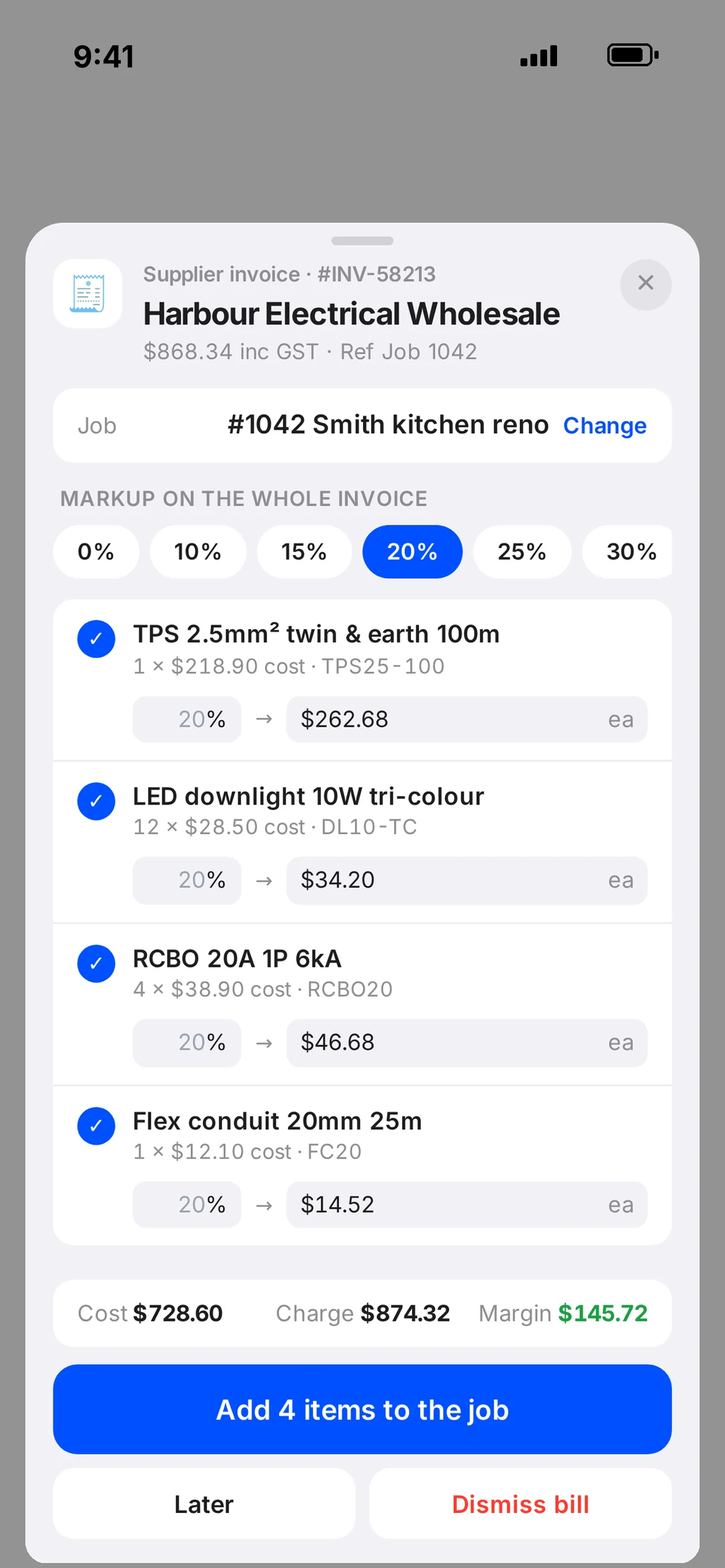
Bills land on the job
The wholesaler’s invoice reads itself. You answer one question.
Supplier bills are emailed straight in. robot reads them and matches each one to the job or to stock, then asks: extras, or included? Charge the customer or absorb it — either way, the job cost is right.
Team chat is in the same app: group, one-to-one and a whole-team thread. No more WhatsApp group with three ex-employees still in it.
Know your numbers
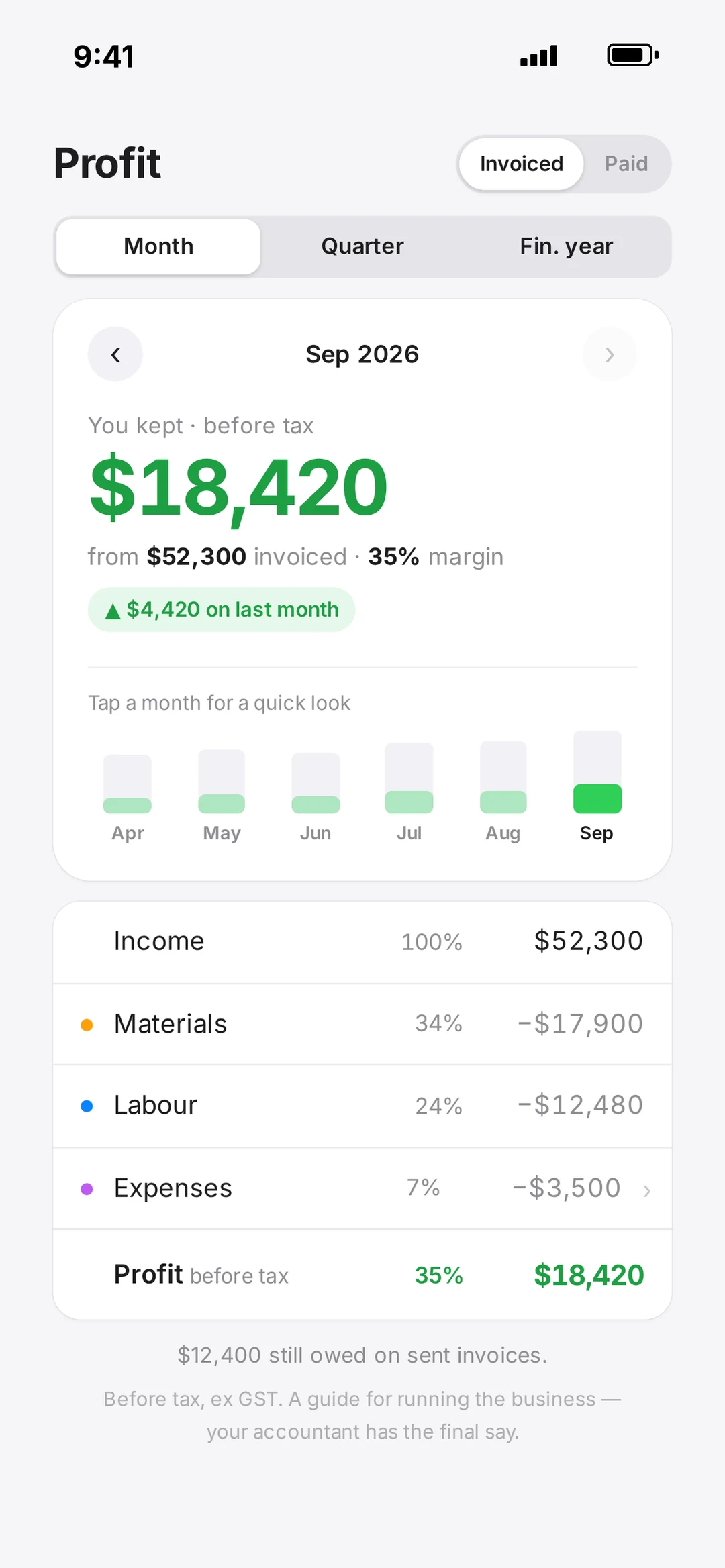
Did that job make money? It’s already on the card.
Bills, hours and invoices land on every job as they happen, so Profit & Loss is sitting there per job and per month — not three months later when the accountant calls. Tax-time exports in a tap.
Big jobs become projects: plan, quotes, jobs and invoices gathered under one PO number, with milestone invoices and variations. Every property keeps a permanent file, with PIN-locked sections for the stuff that shouldn’t be public.
What’s included
Every job feature, by name.
- Job card
- Customer, schedule, crew, checklist, photos, notes, billing.
- Auto-create from quote
- Accepted quote becomes the job.
- Multi-day sessions
- One job across several days and crews.
- Clock on / off
- Time on site, per person.
- Finish flow
- More work, Completed, or Invoice now.
- Projects
- Plan + quotes + jobs + invoices under one PO number.
- Milestones + variations
- Stage invoices and the extras, tracked.
- Properties
- The home’s permanent file, with PIN-locked sections.
- Customer book
- Shared, with labels.
- Roles
- Owner, admin, project manager (no prices), employee (own jobs).
- Crew calendar
- Every tech, every day, per-person timeline.
- Team map
- Opt-in. See who’s closest when it matters.
- Start Day / End Day
- Sign on, vehicle, odometer, next job offered.
- Hours
- Timesheets with approval and reminders.
- Vehicles
- Rego, service due, primary driver, photo, log book download.
- Team chat
- Group, 1:1 and whole-team threads.
- Supplier bills
- Emailed in, read, matched. Extras or included?
- Profit & Loss
- Per job and per month.
- Tax-time exports
- What the accountant asks for, in a tap.
Then get paid
The invoice is the payment machine.
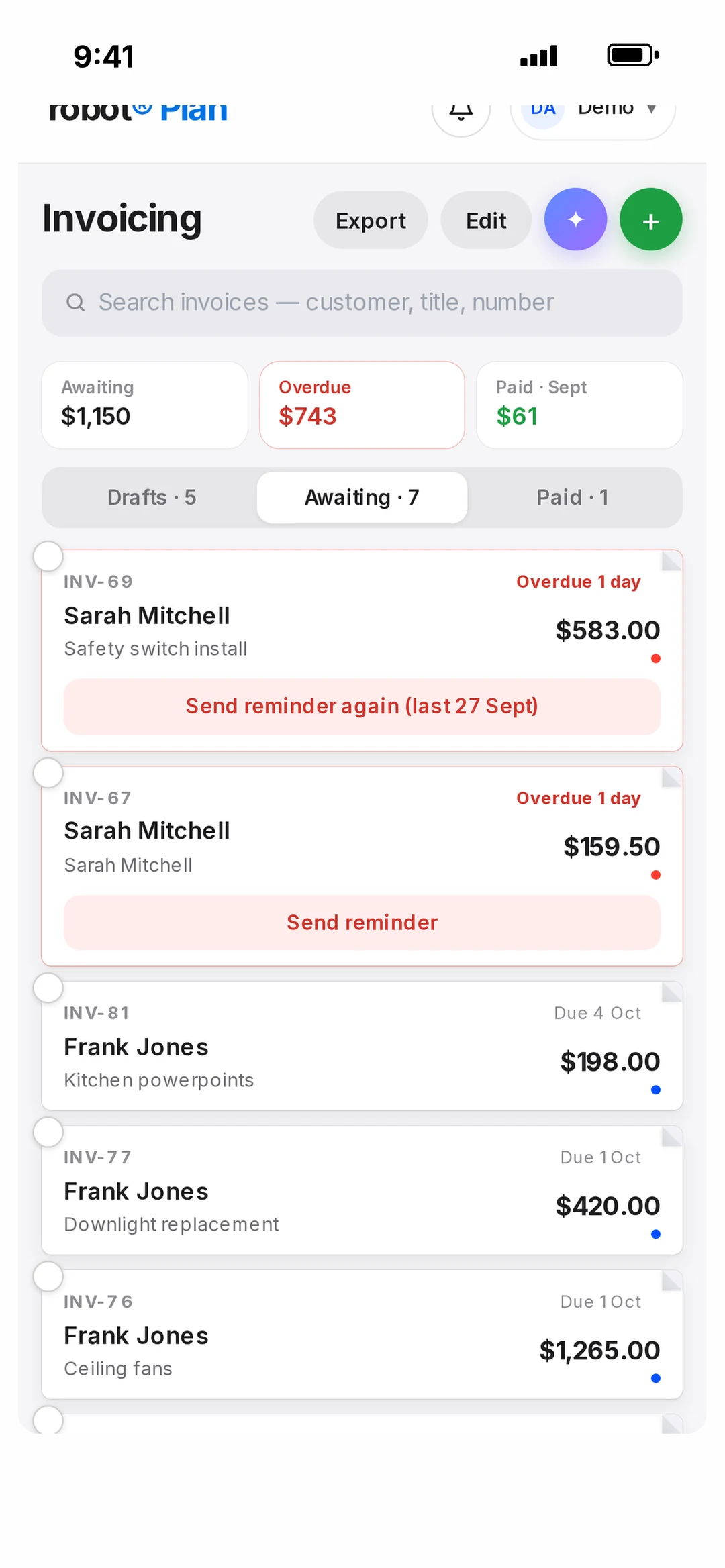
Invoice from the job card in a tap. Every invoice has a Pay button — card, Apple Pay, Google Pay, or a Scan to Pay code on your phone on site. No terminal, no monthly fee.
Works with
 XeroStripeApple PayGoogle Pay
 ServiceM8
Job questions.
How many users can I add?
As many as you like — unlimited users are included in robot Plan. Owners, admins, project managers and employees each see what their role allows.
Can an employee see what I charge?
Only if you want them to. Employees see their own jobs and no prices. A project manager sees every job but no prices. Owners and admins see everything.
Do I need a floor plan to run jobs?
No. Plan software is optional — for new builds and big renos. Everyday jobs run straight from the quote to the job card.
What happens to a supplier bill?
Forward it, or have the wholesaler email it to your robot address. It’s read, matched to the job or to stock, and you answer one question: charge it as extras or mark it included.
Does it talk to Xero?
Yes. Invoices sync to Xero, and an accepted quote creates a draft invoice per stage. Payments through robot Pay are marked paid in both places.
Book a call
Got a crew to run?
Book 15 minutes with the robot team. Tell us how your week actually works and we’ll show you how it would look on the calendar.
- 15 minutes, on the phone
- Mornings before work or after 3pm
- Bring a real job — we’ll run it through robot together
Pick a day
Pick a time
Checking Jacob’s calendar…
15 minutes · Jacob calls you · times shown in Sydney time