How it works
From quote to paid.
Without an office.
Here’s a job going through robot, start to finish — and every feature by name. Most of it happens on its own. The rest is a tap.
1Quote it
A proper quote in minutes — from the van.
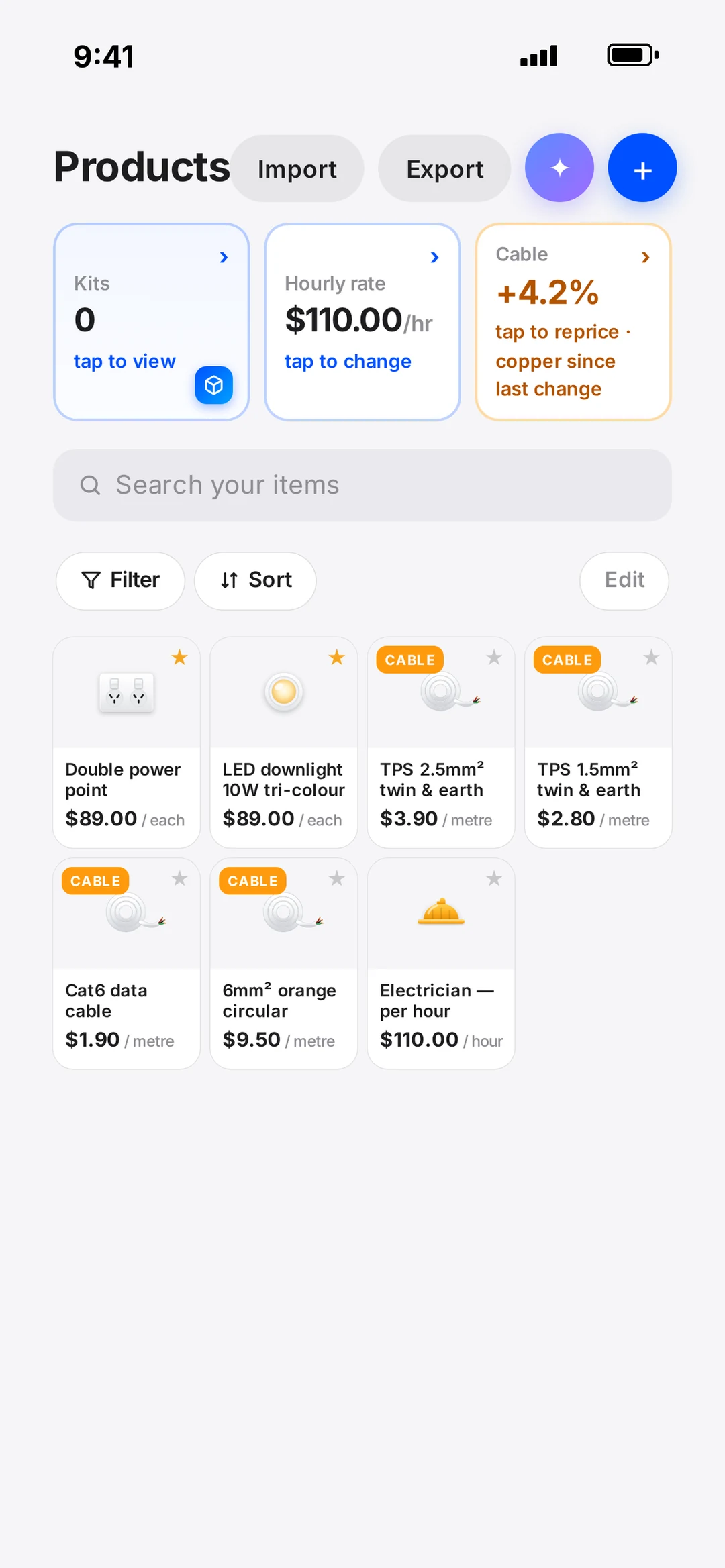
Your products, labour and kits are saved once. Tap them in, and the quote prices itself at your rates.
- Price book
- Products, labour and kits at your rates, ready for any quote.
- Supplier products
- Pull products straight from your supplier into the quote.
- Copper prices
- Watch the market move. One tap lifts every cable price by that percentage.
- Promotions
- Discounts and limited offers that show up beautifully for the customer.
- Quote page
- Your logo, a live link, and a button the customer taps to accept and sign.
+Only when you want itOptional
Got a floor plan? Mark it up — the quote writes itself.
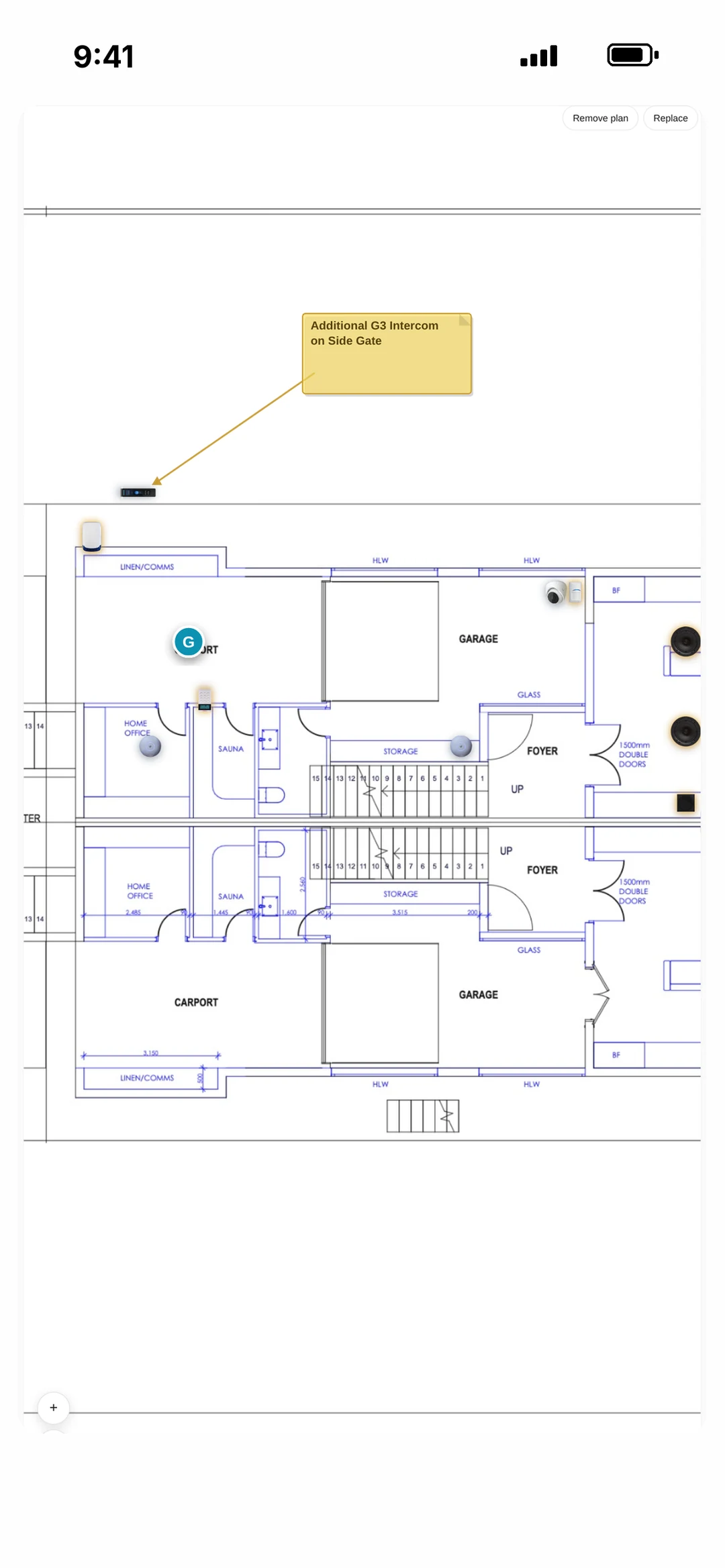
For new builds, renos and lighting design. Drop lights, switches and powerpoints on the builder’s PDF and the quote comes straight off it. Everyday jobs never need a plan.
- Plan markup
- The easiest way to mark up a plan — right on your phone or tablet.
- Auto-Quote
- Every item on the plan lands on the quote, priced.
- Live plan link
- The customer taps through the plan and sees exactly what they’re getting.
2Win it
They accept. Your next move is already waiting.
No email to read and re-type. Your phone lights up with the three questions that matter — and each one is a tap.
- Next steps
- Send a deposit invoice? Schedule it? Make it a project? One tap each.
- Deposit invoices
- Your payment schedule, sent the moment they say yes.
- Projects
- Big jobs split into stages, each with its own invoice.
3Book it
Customers book themselves in. Reminders go on their own.
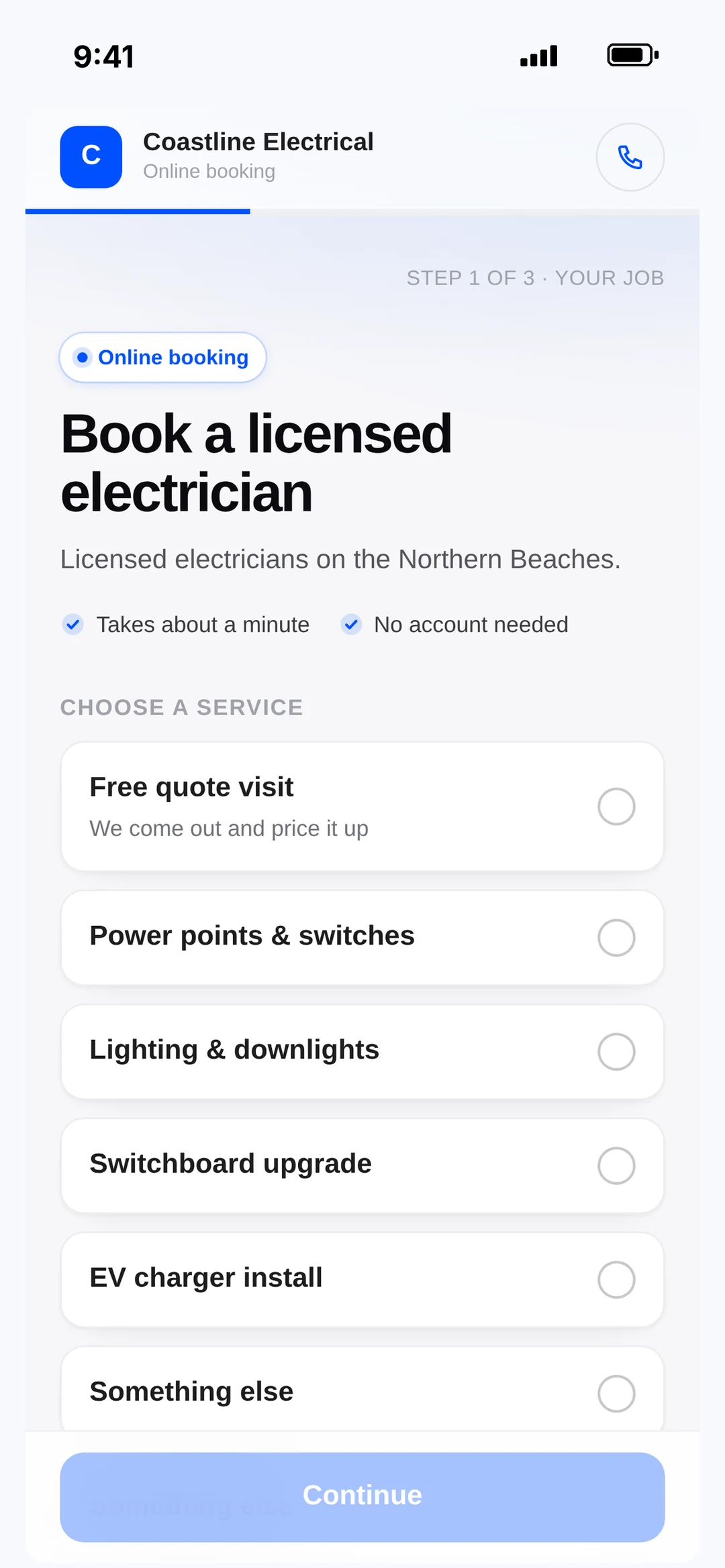
Put your link in your Instagram bio. People pick a time, and robot texts them the day before and an hour out.
- Book-me link
- Your own booking page for your socials and website.
- Crew calendar
- Every tech, every job, every day — drag, drop, done.
- Customer reminders
- Booking confirmations and reminders by SMS, automatically.
4Do the job
The crew knows where to be. Nobody rings you.
Techs get a push the second they’re booked or the time moves. Everything they need is on the job card.
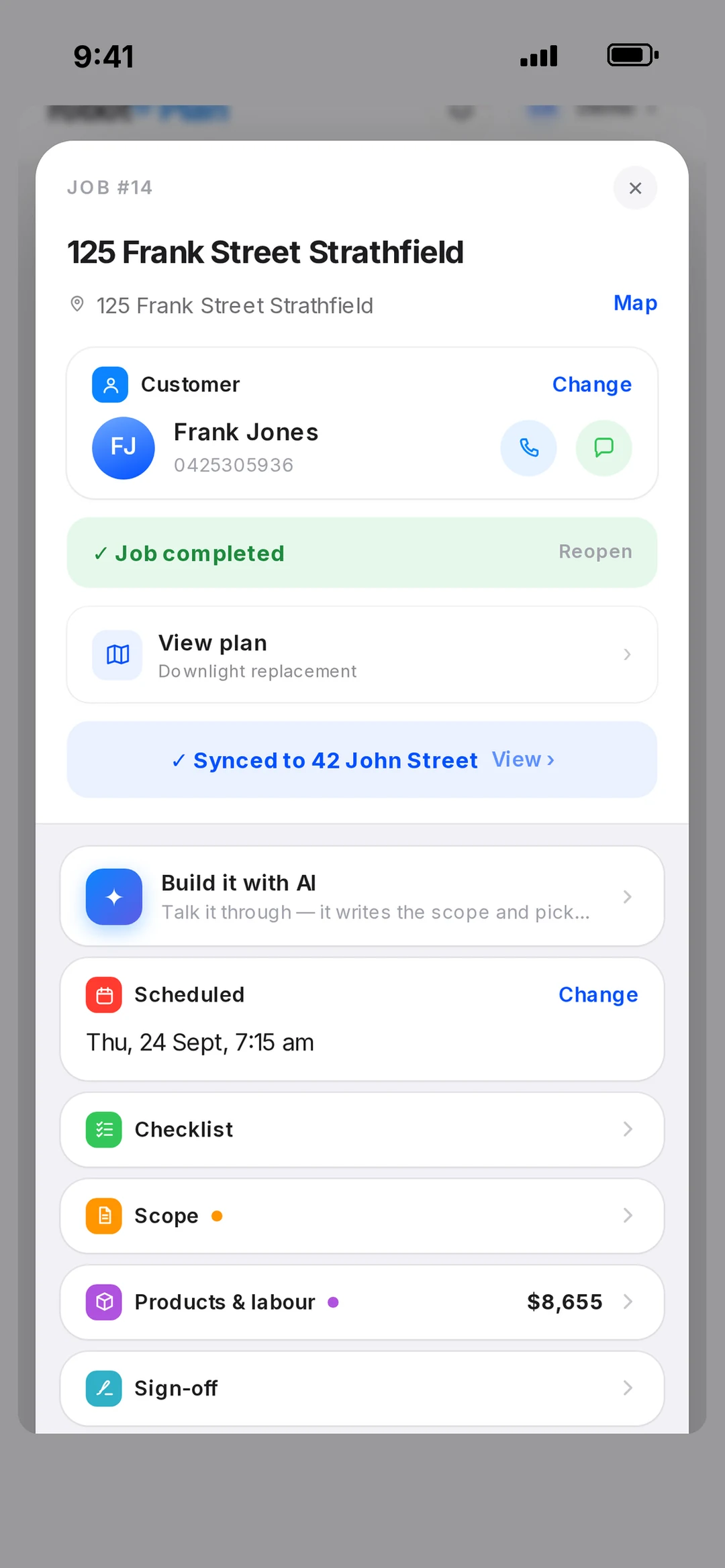
- Job cards
- Customer, scope, checklist, photos, sign-off and billing on one card.
- Crew notifications
- Instant pushes when a job is assigned or moved.
- Daily Check-In
- Start the day, log the van and who’s driving — timesheets fill themselves.
- Supplier bills
- Wholesaler invoices land on the right job: charge them as extras, or mark them included.
5Get paid
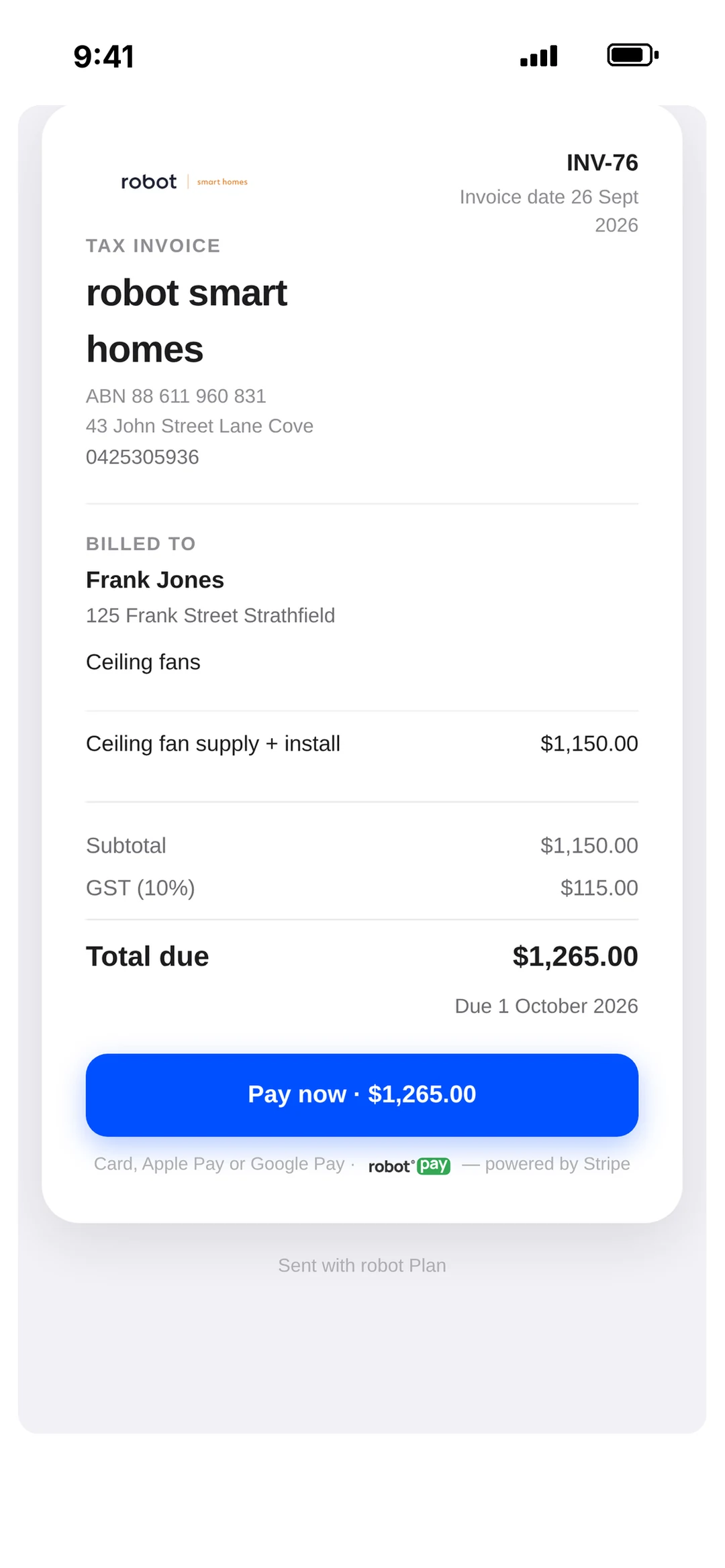
The invoice is the payment machine.
Every invoice has a Pay button. Card, Apple Pay or Google Pay — from the text, the email, or a code on your phone on site.
- robot Pay
- Take card, Apple Pay and Google Pay. No terminal, no monthly fee.
- Scan to Pay
- Show a code on your phone on site — the customer pays from theirs.
- Overdue chasing
- See who owes you and nudge them in a tap.
- Xero sync
- Sent and paid invoices go straight to Xero.
6Know your numbers
Did that job make money? It’s already on the card.
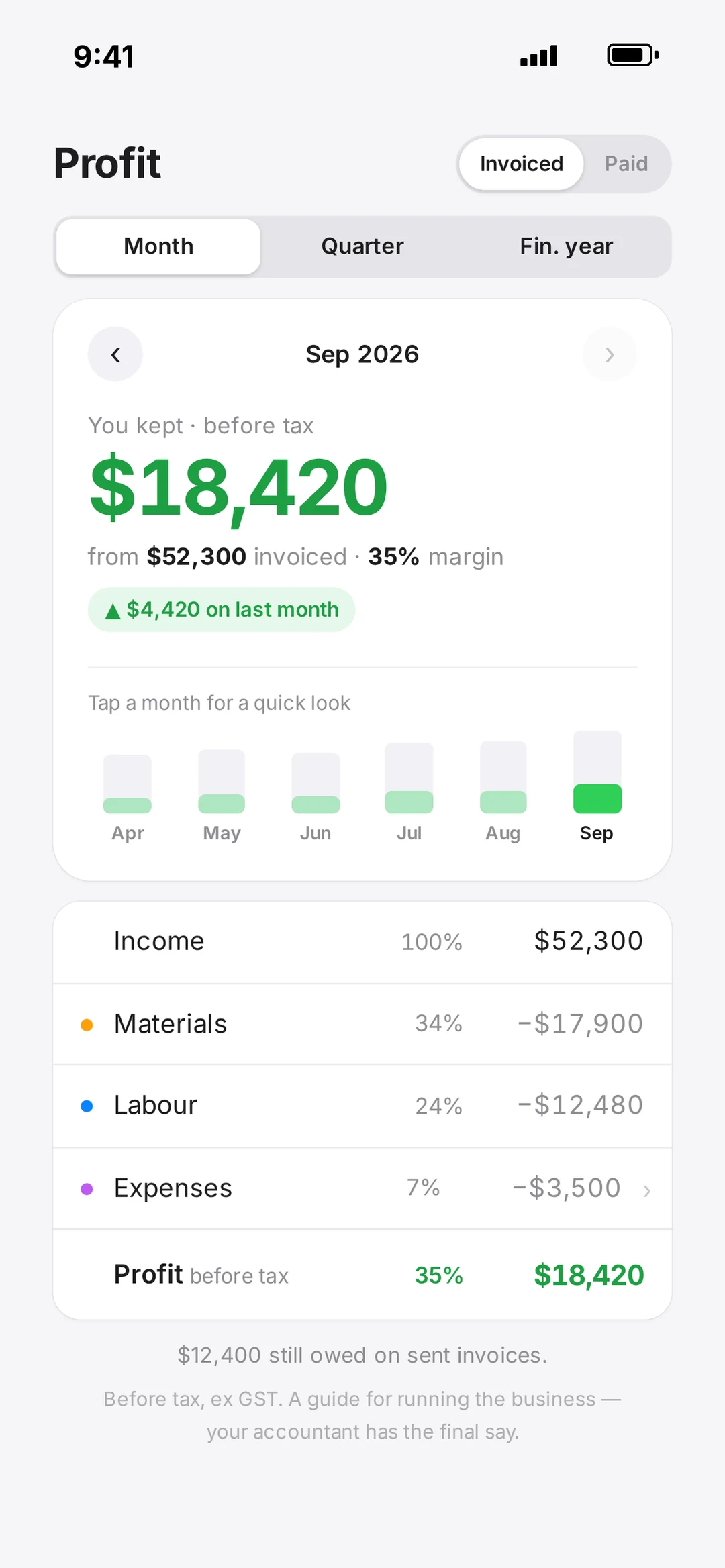
Bills, hours and invoices land on every job, so profit is sitting there the whole time — not three months later.
- Profit & loss
- Profit on every job and across the business.
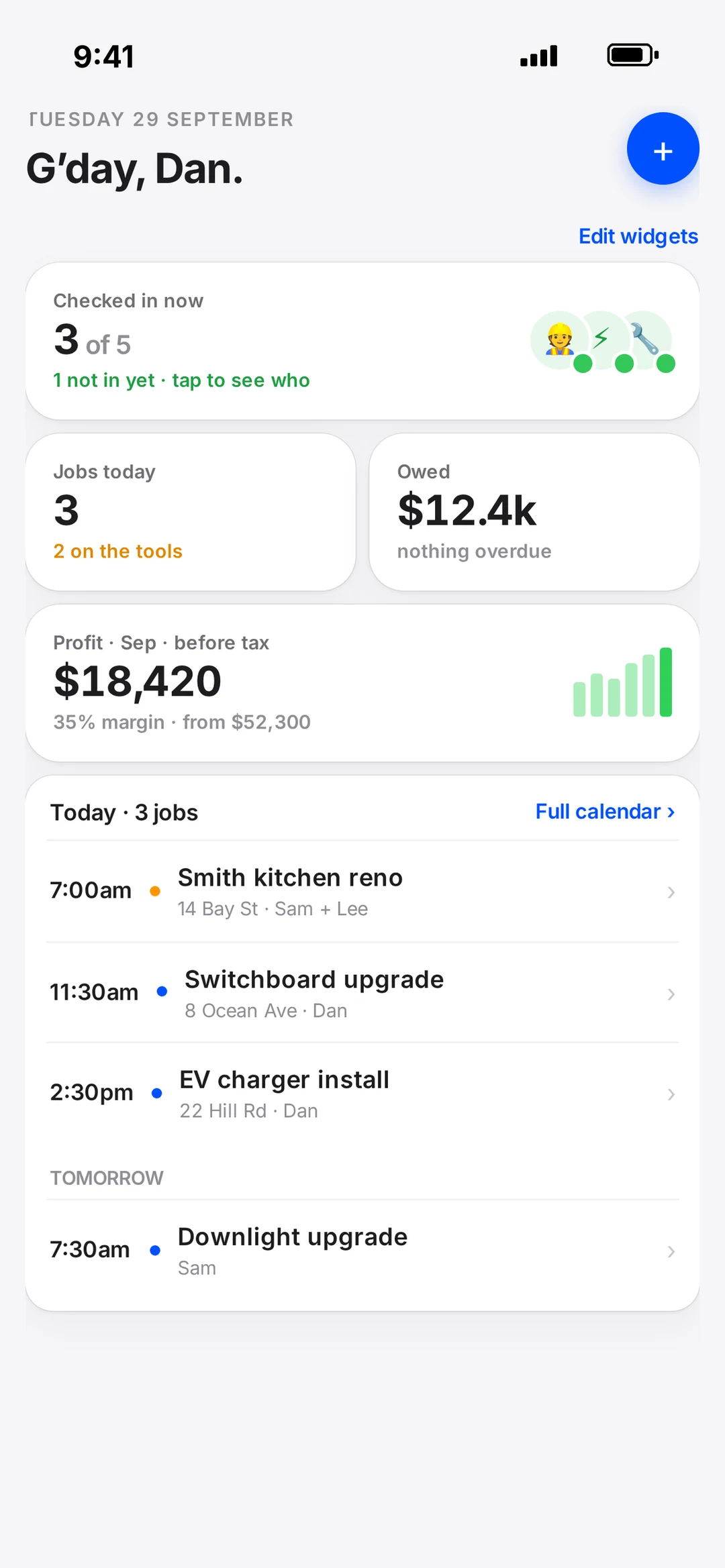
- Your dashboard
- Arrange the home screen the way you run your day.
- robot AI
- Talk a job through and it drafts the job and the quote. A daily check-in keeps you on top.
Play with a real plan
This is what your customer opens.
Pinch to zoom, tap any device to see what it is, flick between floors. Go on, have a poke around.
Plan and quote with the brands you install every day








How-to videos
Short, real-screen walkthroughs.
Free courseElectrician UpskillBecome an electrical plan designer — 14 quick videos, certificate at the end.Start the course →Now playing · 1 of 14
Introduction - Save to Mobile
Add robot Plan to your phone's home screen so it opens like an app — one tap from the ute to your plans.
Guides & articles
Written by the team who built robot.
Book a call
Rather talk it through?
Book 15 minutes with the robot team. We’ll show you how it would run your business, on your own jobs. No pitch, no pressure.
- 15 minutes, on the phone
- Mornings before work or after 3pm
- Bring a real job — we’ll run it through robot together
Pick a day
Pick a time
Checking Jacob’s calendar…
15 minutes · Jacob calls you · times shown in Sydney time